# Maintaining Academic Integrity with the Copyleaks API
> Build plagiarism and AI detection into your LMS with the Copyleaks API. Scan against the Shared Data Hub and the internet, and check student writing.
In today's evolving academic landscape, upholding integrity and originality is fundamental. Copyleaks is dedicated to empowering instructors and academic institutions with the tools to champion authentic student work and maintain the highest academic standards. Our mission is to provide comprehensive solutions that address the core challenges of modern education, from traditional plagiarism to the nuances of AI-generated content.
For developers, the [Copyleaks API](https://copyleaks.com/api) is the key to seamlessly integrating these critical capabilities directly into your institution's unique ecosystem, such as a Learning Management System (LMS) or other academic platforms. By leveraging the API, you can empower instructors with a robust [plagiarism checker](https://copyleaks.com/plagiarism-checker), award-winning [AI detection](https://copyleaks.com/ai-detector), and a secure Shared Data Hub for assignments - all within the native workflows they use every day.
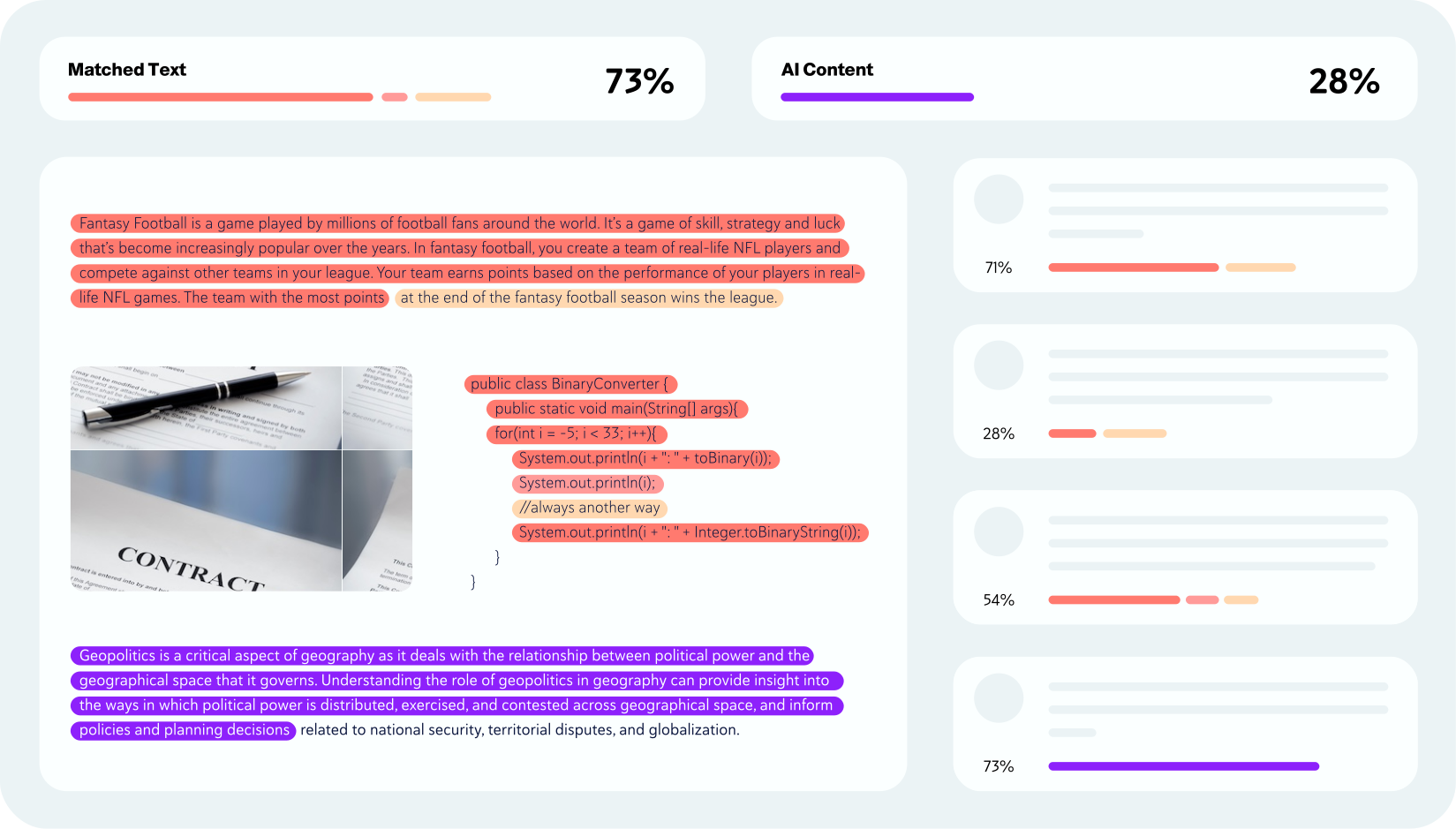
This guide will walk you through the essential API steps, from indexing documents to configuring advanced scanning options, enabling you to build a powerful, integrated solution that supports your institution's commitment to academic integrity.
## Before You Begin
To get the most out of this document, you should first be familiar with how to submit a basic scan. If you're new to the process, we recommend starting with the guide below.
**[Detect Plagiarism in Text](/guides/authenticity/detect-plagiarism-text)**: This guide walks you through the fundamentals of customizing your API request to scan for plagiarism, AI-generated text and grammar correction.
## Submitting Your Documents
The Copyleaks API allows you to submit a variety of document types for analysis. You can [upload files](/reference/actions/authenticity/submit-file/) in formats such as PDF and DOCX. Additionally, you can submit documents by providing a [URL](/reference/actions/authenticity/submit-url/).
Copyleaks also offers advanced capabilities, allowing you to [upload images](/reference/actions/authenticity/submit-ocr/) of text. This is made possible using Optical Character Recognition (OCR) technology.
## Scanning with the Shared Data Hub
### What is the Shared Data Hub?
The Shared Data Hub is a comprehensive database containing millions of user-submitted documents from institutions worldwide. This powerful resource significantly enhances academic integrity by expanding the scope of plagiarism detection beyond traditional sources.
### How It Improves Academic Integrity
The Shared Data Hub is particularly effective at detecting instances where students submit work that isn't their own. For example, it can detect when:
- A student submits an assignment previously written by a friend
- The same paper is submitted to different institutions
- Work is recycled from previous semesters or academic years
This detection capability helps maintain academic standards across educational institutions globally.
### Contributing to the Community
When you choose to scan against the Shared Data Hub, you're not just benefiting from the collective database - you're also contributing to it. Each document you submit helps strengthen the system for all users, creating a more robust detection network that benefits the entire academic community.
This contribution also benefits your own institution directly. Once your students' assignments are added to the database, they cannot be recycled or reused by other students at your institution in future semesters.
### Customizing Your Scan Settings
You have full control over how your documents are compared within the Shared Data Hub:
- **Compare against your institution's submissions**: Use the `properties.scanning.copyleaksDb.includeMySubmissions` parameter to scan against documents from your own institution
- **Compare against other institutions' submissions**: Use the `properties.scanning.copyleaksDb.includeOthersSubmissions` parameter to scan against submissions of other users in the network
- **Use both options**: Enable both parameters for the most comprehensive plagiarism detection
### Automatic Indexing and Management
After completing a scan, your document is automatically indexed and stored within the Shared Data Hub. This makes it available for future comparisons against new submissions at your institution.
If you need to remove a document from the database, you can use our [delete request](/reference/actions/authenticity/delete/) and set the `purge` parameter to `true`. This will completely remove the document from the Shared Data Hub.
### Benefits of Using the Shared Data Hub
- **Broader Detection**: Access to millions of documents increases the likelihood of identifying plagiarism
- **Cross-Institutional Protection**: Detect submissions that may have originated from other schools
- **Internal Protection**: Prevent students from reusing assignments within your own institution
- **Community Collaboration**: Help build a stronger academic integrity ecosystem for everyone
By leveraging the Shared Data Hub, you're taking advantage of one of the most comprehensive plagiarism detection resources available while contributing to the fight against academic dishonesty.
## Scanning Against the Internet
To scan against a vast range of online sources, including many academic journals, set the `properties.scanning.internet` parameter to `true`.
Internet results will be included in the [Scan Completion Webhook](/reference/data-types/authenticity/webhooks/scan-completed).
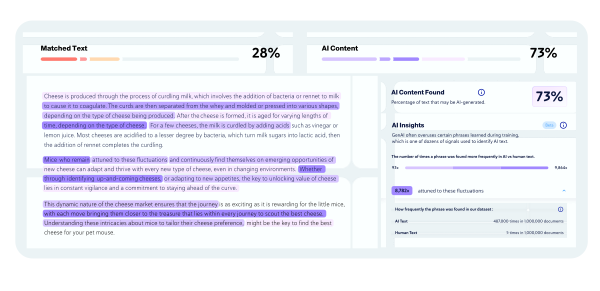
## Detecting AI-Generated Content
* To check for AI-written text, set the `properties.aiGeneratedText.detect` parameter to `true`.
* Your AI detection results are delivered to a dedicated export webhook. For an example of how the data will be structured, see the [Export AI Detection Response documentation](/reference/data-types/authenticity/results/ai-detection/).
## Enhancing Student Writing with Grammar Checker
Beyond detecting problematic content, Copyleaks also helps students improve their writing skills through our integrated Grammar Checker capabilities. By enabling Grammar Checker within your authenticity scan, you can provide constructive feedback that enhances human writing without triggering AI detection systems.
### Supporting Academic Development
The Grammar Checker is designed to help students learn and grow as writers rather than simply correcting their work:
* **Grammar and Mechanics**: Catch spelling mistakes, comma errors, subject-verb disagreements, and comprehensive grammar issues
* **Sentence Structure**: Identify run-on sentences, fragments, and awkward phrasing to improve clarity
* **Word Choice**: Suggest better vocabulary and catch misused words or homophones
* **Multi-Language Support**: Provide assistance in English, German, Spanish, French, Italian, and Portuguese
### Grammar Score Assessment
The Grammar Checker provides a comprehensive Grammar Score that breaks down writing quality into two key areas:
* **Corrections**: Detailed grammar, mechanics, and style suggestions
* **Insights**: Analysis of writing patterns, sentence length, and readability
To enable Grammar Checker alongside your plagiarism and AI detection scan, set the `properties.writingFeedback.detect` parameter to `true` in your authenticity scan request. The Grammar Checker results will be included in your scan completion webhook.
## Frequently asked questions
### How do I detect students reusing each other's work?
Scan against the Shared Data Hub using `properties.scanning.copyleaksDb.includeMySubmissions` (your own institution's submissions) and `properties.scanning.copyleaksDb.includeOthersSubmissions` (submissions from other institutions). Enable both for the broadest coverage.
### Can I remove a student's document from the Shared Data Hub?
Yes. Send a [delete request](/reference/actions/authenticity/delete/) with the `purge` parameter set to `true` to completely remove the document from the database.
### How do I check for AI-generated text in the same scan?
Set `properties.aiGeneratedText.detect` to `true`. AI detection results are delivered to a dedicated export webhook, structured as shown in the [Export AI Detection Response](/reference/data-types/authenticity/results/ai-detection/).
### Can I scan against the internet and academic journals?
Yes. Set `properties.scanning.internet` to `true`. Internet matches are included in the [Scan Completion Webhook](/reference/data-types/authenticity/webhooks/scan-completed).
### Can I give students grammar feedback too?
Yes. Set `properties.writingFeedback.detect` to `true` in the same authenticity scan to return a Grammar Score with corrections and writing insights in the completion webhook.
## Support
Need help implementing these solutions? Our team is here to assist you every step of the way. Whether you have technical questions or need guidance on best practices, don't hesitate to reach out through [**Copyleaks Support**](https://help.copyleaks.com/hc/en-us/requests/new) or engage with our developer community on [**Stack Overflow**](https://stackoverflow.com/questions/tagged/copyleaks-api) using the `copyleaks-api` tag.
## Next Steps
Enhance your academic integrity solution with grammar and writing quality assessment.
Learn how to automatically identify text manipulation techniques being used to bypass detection.
To get scan results, you must set up webhooks. These automated messages will notify your system as scans are completed.
Learn how to present the scan data to your users with our customizable interactive report, a downloadable PDF, or by integrating the results directly into your own UI.
Want to see how Copyleaks can enhance your academic integrity solutions? Our technical team can walk you through live examples of scanning against the Shared Data Hub, AI detection, and more.