# Ways to Display Reports
> Compare the ways to display Copyleaks scan results: interactive reports, the hosted report, PDF exports, and custom white-label implementations.
Copyleaks offers multiple flexible options for displaying scan results to accommodate different technical requirements and use cases. Whether you prefer a ready-to-use hosted solution, want to integrate an interactive report into your existing application, need downloadable PDF reports, or require a completely custom implementation, Copyleaks provides the tools and data necessary to meet your specific needs.
The display options range from plug-and-play solutions that require minimal technical implementation to comprehensive data exports that enable full customization of the user experience. Each method offers different levels of control, customization, and integration complexity to match your project requirements.
All display methods are designed to work seamlessly with the Copyleaks scanning process and provide comprehensive visualization of [plagiarism checker](https://copyleaks.com/plagiarism-checker), [AI detection](https://copyleaks.com/ai-detector), and other scan results through modern, responsive interfaces.
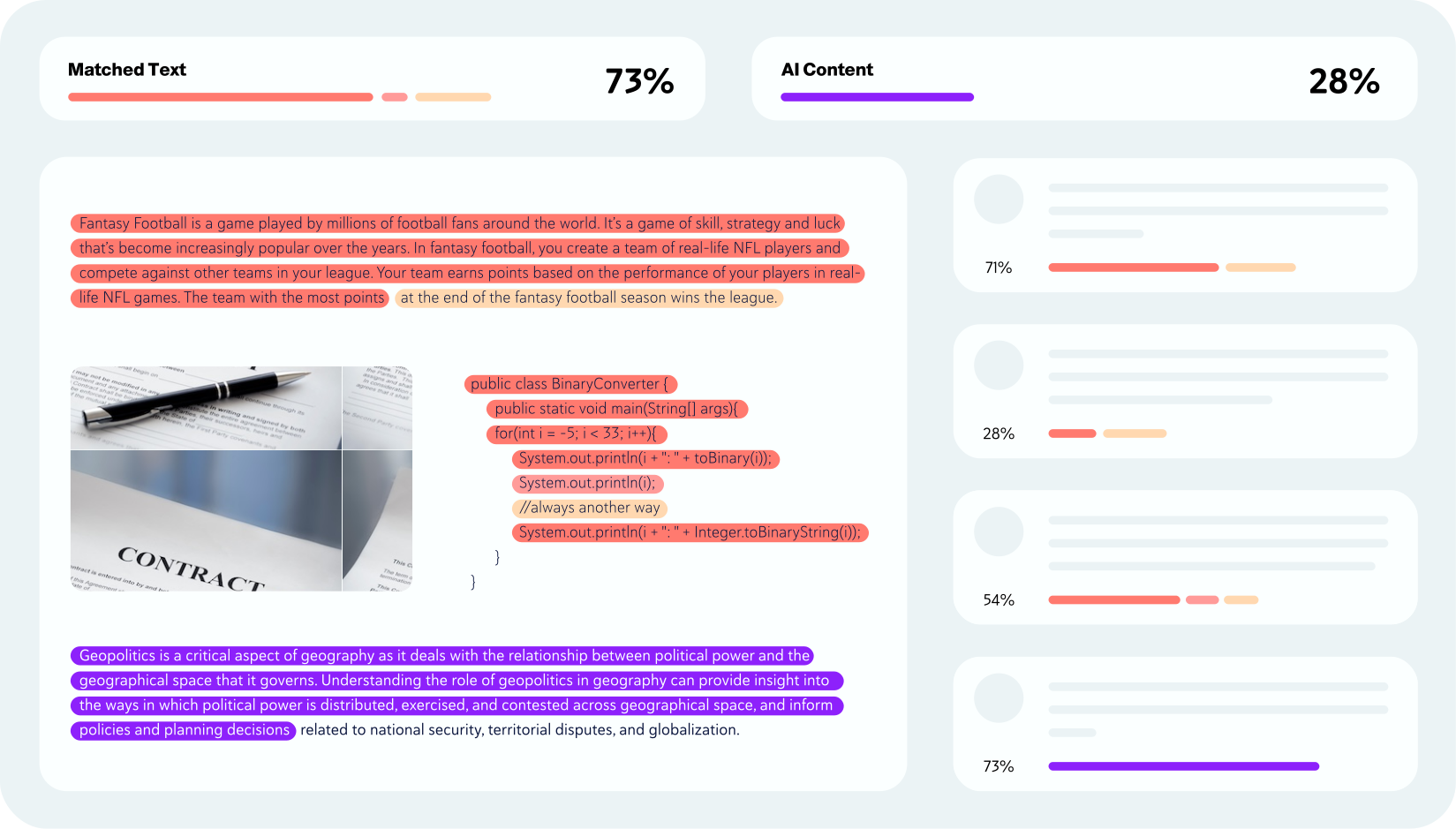
## Viewing the Results
### Hosted Web Report
A responsive web page that can be opened in a new window or an iframe. This solution provides immediate access to professional report viewing without any development overhead or hosting requirements. The hosted report automatically updates with the latest features and improvements, ensuring users always have access to the most current functionality. Perfect for rapid deployment and scenarios where minimal technical implementation is preferred.
Learn how to embed the Copyleaks hosted web report into your application.
### Open-Source Web Report
Build your own Copyleaks Interactive Report from our [Github repository](https://github.com/Copyleaks/ng-web-report). You will need to host the report and send Copyleaks data to populate it. The Interactive Report provides a comprehensive, web-based interface that displays detailed scan results including highlighted matches, source comparisons, AI detection results, and [Grammar Checker](https://copyleaks.com/grammar-checker) suggestions.
The report can display Grammar Checker corrections when provided with the appropriate correction data and links from your scan results.
This solution offers maximum customization flexibility while leveraging Copyleaks' proven report interface design and functionality. Integration requires [Angular](https://angular.dev/) development skills and the ability to host and maintain the report within your own infrastructure.
Learn how to install and configure the Copyleaks open-source web report.
### White Label Customization
Some Copyleaks customers opt to build their own custom solutions for viewing data. We empower you with resourceful data like the start and length of plagiarism and detected AI, and you can build your own custom viewing platform designed to your preferences and specifications. This approach provides complete control over the user experience, allowing you to integrate scan results seamlessly into your existing application workflow and design language.
[Learn more about Custom Implementations](/guides/authenticity/detect-plagiarism-text)
## Choosing the Right Display Method
To help you decide which display method is right for you, here is a side-by-side comparison of the available options:
| Display Method | Implementation Effort | Customization Level | Hosting | Primary Use Case |
| :--- | :--- | :--- | :--- | :--- |
| **Hosted Report** | Low | Low | Copyleaks | Quick setup, embedding in iframes, maintenance-free. |
| **Open-Source Report** | Medium | High | Self-hosted | Full UI control, integration with your brand, feature-rich. |
| **Custom (API Data)** | High | Complete | Self-hosted | Seamless integration into existing apps, unique workflows. |
## Support
Should you require any assistance or have inquiries about implementing any of these display methods, please contact [**Copyleaks Support**](https://help.copyleaks.com/hc/en-us/requests/new) or ask a question on [**Stack Overflow**](https://stackoverflow.com/questions/tagged/copyleaks-api) with the `copyleaks-api` tag.